
This article outlines the steps required to generate an access token for yourself when you don't need a user to authorize your OAuth Client.
- Complete your company profile in account settings.
- Create an OAuth Client.
- Enter a name for your client.
- The fields for Website, Redirect URI, and E-mail are not important for clients that wish to generate an access token for personal use but are still required fields.
- Select the "openid profile email" scope listed under Permissions.
- Click Submit.
- Copy your Client ID (client_id) and Client Secret (client_secret). You can generate a new secret in the future.
- Open Postman, Terminal, or some other command line application and follow the steps below.
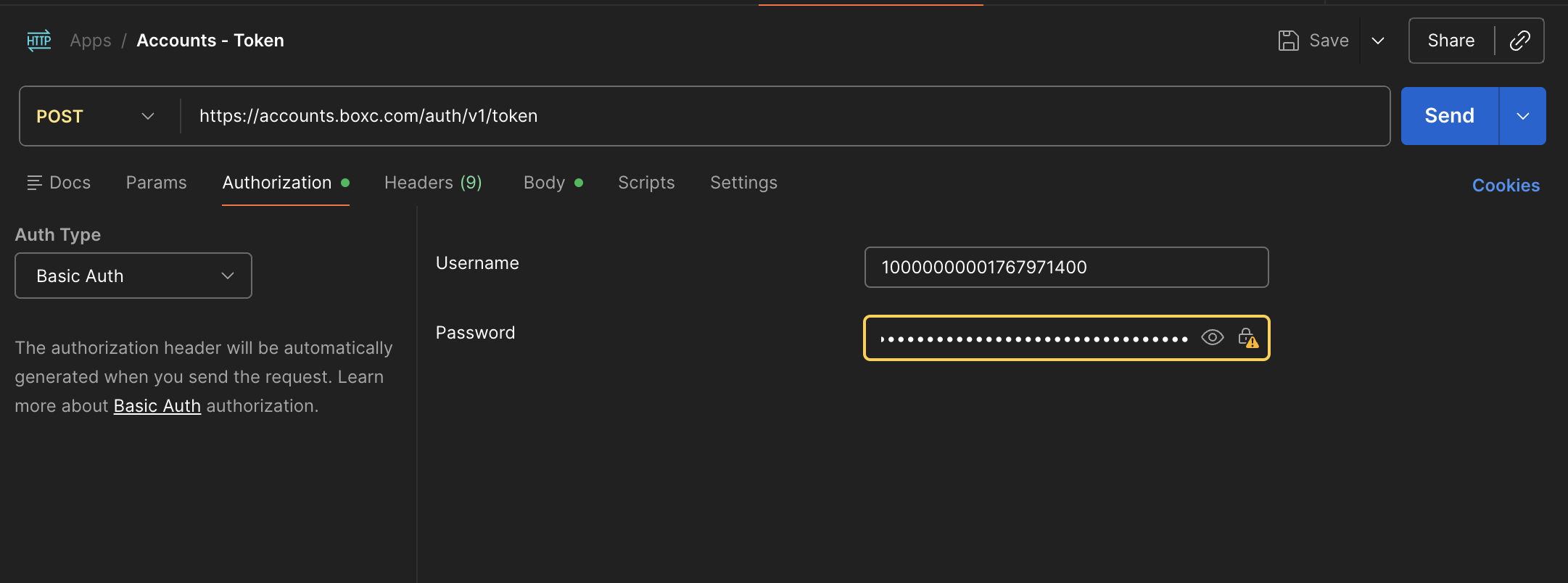
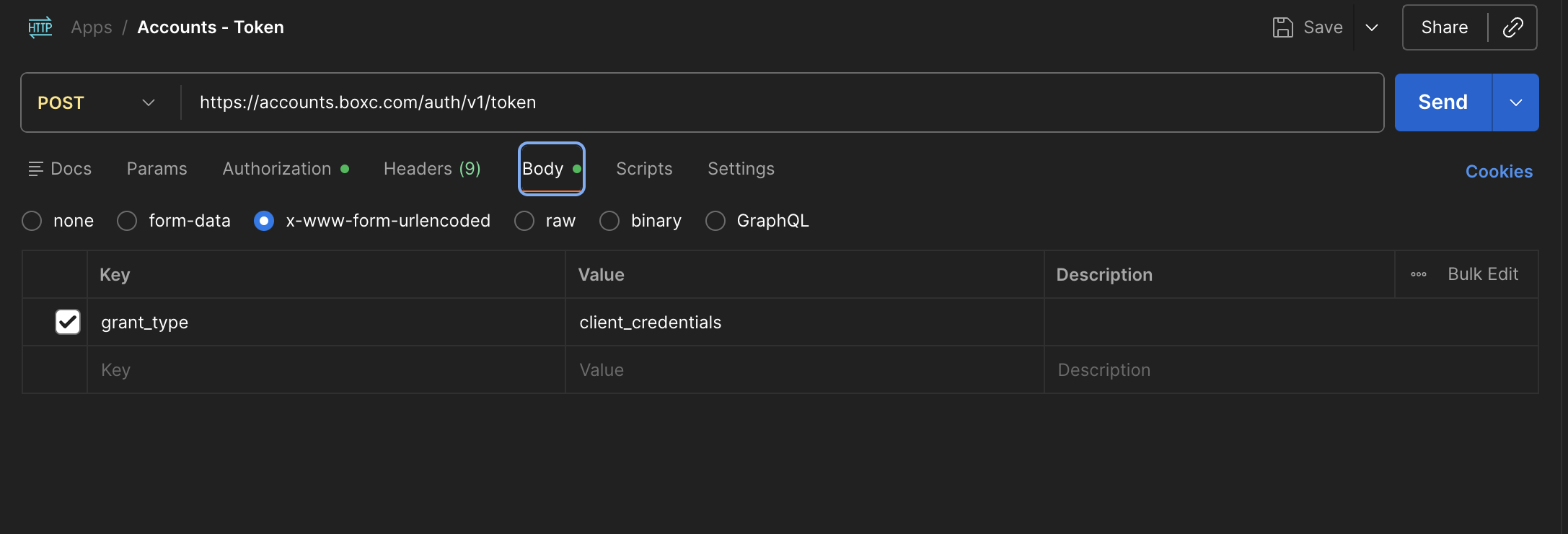
Postman
| URL | https://accounts.boxc.com/auth/v1/token |
| HTTP Method | POST |
Authorization | |
| Auth Type | Basic Auth |
| Username | This is your client_id |
| Password | This is your client_secret |
Body | |
| Content type | x-www-form-urlencoded |
| Parameter | grant_type=client_credentials |
cURL (Terminal / Command Line)
Copy the cURL command below.
curl --location 'https://accounts.boxc.com/auth/v1/token' \
--header 'Content-Type: application/x-www-form-urlencoded' \
--header 'Authorization: {{auth}}' \
--data-urlencode 'grant_type=client_credentials'
Replace {{auth}} with your client_id and client_secret and Base64 encode it. For example:
base64(client_id + ":" + client_secret)
An access token will be returned if the request was successful.
For more technical information regarding our API and the authorization flow please refer to our documentation.